Square or Stripe. Hardware you can buy anywhere.
Take the card through the processor you already have, at the rates you negotiated, on devices nobody leases you. Set each terminal’s reader, scanner and printer once in the Console; at the counter it just connects.
Modern payments, Square or Stripe.
Square and Stripe are both first class. Already on one? Keep the rates you negotiated. Coming off legacy processing means competitive rates, often lower, with superior stability and speed.


Off the shelf. Bought anywhere, replaced overnight.
None of it is proprietary and none of it is sold by us. Set which reader, scanner and printer each terminal uses once, in the Console, and it is sent to the device with its pairing code.


Devices
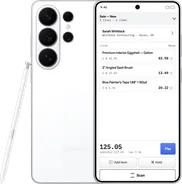
Any current iPhone or iPad, and any Android phone or tablet. A fixed lane on a tablet, a handheld on the floor, a foldable that is a register closed and a counter open.
- TabletsiPad mini, iPad, iPad Air, iPad Pro · Galaxy Tab S
- FoldablesiPhone Duo · Galaxy Z Fold and Z Flip · Pixel Fold
- PhonesiPhone · Galaxy S26 Ultra · Pixel
- Handheldsrugged Android, for the floor and the yard
Card readers
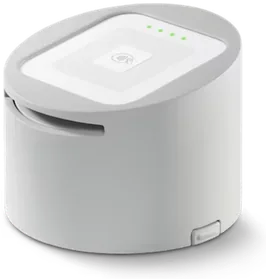
Set per terminal in the Console. Tap on the phone itself, or tap, dip and swipe on a reader.
- Tap to Pay on iPhone and Androidbuilt-in NFC, no reader
- Stripe Reader M2contactless and chip
- Square Reader for contactless and chiptap and dip
- Square Reader for magstripethe swipe dongle
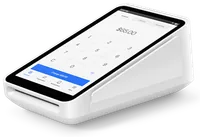
- Square Terminalall-in-one handheld
- Square Stand 2reader built in


Stands
Counter stands and docks that hold the device, and keep handhelds charged between shifts. None of it proprietary.
- Square Stand 2iPad, reader built in
- Star mUnitetablet stands, pair with mPOP
- Studio ProperiPad stands and mounts
- Bosstabstands and docks, iPad and Android
- Kensingtontablet stands and docks
Receipt printers
Receipts print from the same layout the Console holds, so what you set centrally is what comes out.
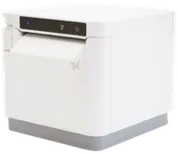
- Star mC-Print2 and mC-Print3counter
- Star TSP100IVcounter
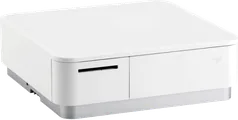
- Star mPOPprinter and cash drawer in one
- Any AirPrint printeralready on the network

Barcode scanners
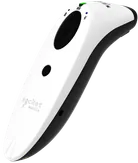
The current SocketScan and DuraScan models, paired over Bluetooth and docked at the counter.
- SocketScan S721 / S741the standard, 1D / 2D
- SocketScan S720 / S740also supported
- DuraScan D720 / D745rugged, drop-rated
- Socket Mobile charging standdocked, auto, charged


Cash drawers
Opens on cash tenders and from the register. Any drawer the Star printer can kick.
- Star mPOPprinter and drawer in one
- APG Vasario / S 4000kick via Star printer
- Posiflex CR-4000 / CR-6300kick via Star printer
- Any drawer with a standard kick cablekick via Star printer
Switch it on once.
Enable an ERP or a processor, pick which reader, scanner and printer each terminal uses, and see what every counter is connected to, from one screen.
Then it just connects.
The terminal receives its setup with its pairing code. Readers, scanners and printers connect on their own, and swapping a device needs no support call.
See the platform under your store.
Connect your ERP in minutes, see the register in action, and start selling like never before.